

The first mistake I made when I was using WordPress was to install too many plugins without knowing their functionality. My website was not only slow but it was also a mess and most importantly, difficult to manage. In this article, you will get the complete details about the top 10 Best WordPress Plugins for Beginners
With time, I learned something vital: whether WordPress is successful or not, it does not depend on more plugins being installed on it, but rather on the correct installation of the right plugins that will solve the actual issues.
WordPress is stronger than ever, yet it is more competitive in 2026. Be it a blog, a business website, or an e-commerce store, the number of types of the plugins you use can have a direct influence on your speed, your search engine optimization, your security and, probably, your development.
In this blog, I am not merely enumerating the plugins. I will describe why I use them, how they, in fact, assist, how you as a beginner should consider them.

1. Elementor The easiest way to create a pro website without coding
Elementor is likely to be the most crucial plugin you can install, especially when you are starting off.
The default editor used when I first used WordPress was restrictive. I was not able to design pages according to my wishes. It is where Elementor totally transformed the game. It provides you with a drag-and-drop experience where you can design your site in real time without any coding.
The extent to which it has developed is what makes it powerful in 2026. You are not dragging texts and graphics any longer; you are creating whole layouts, landing pages and even dynamic websites with advanced widgets and templates.
In the case of a novice, this eliminates one of the largest obstacles, which is the technical complexity. You do not have to contract a developer in order to render your site professional.

2. Yoast SEO: Your First Step to Ranking on Google
At the beginning of my website-building experience, I did not have a deep understanding of SEO. But it was easier to start with such a tool as Yoast.
Yoast SEO will assist you in optimizing your content to be searched by the engines by advising you on such aspects as the use of keywords, the readability of the material, the meta description, and internal links.
The fact that it makes something that would otherwise seem complex seem simpler is what I like about it for beginners. You do not have to guess that your content is optimized, you can see clear indicators and suggestions.
Simply put it is a basic SEO coach within your dashboard.
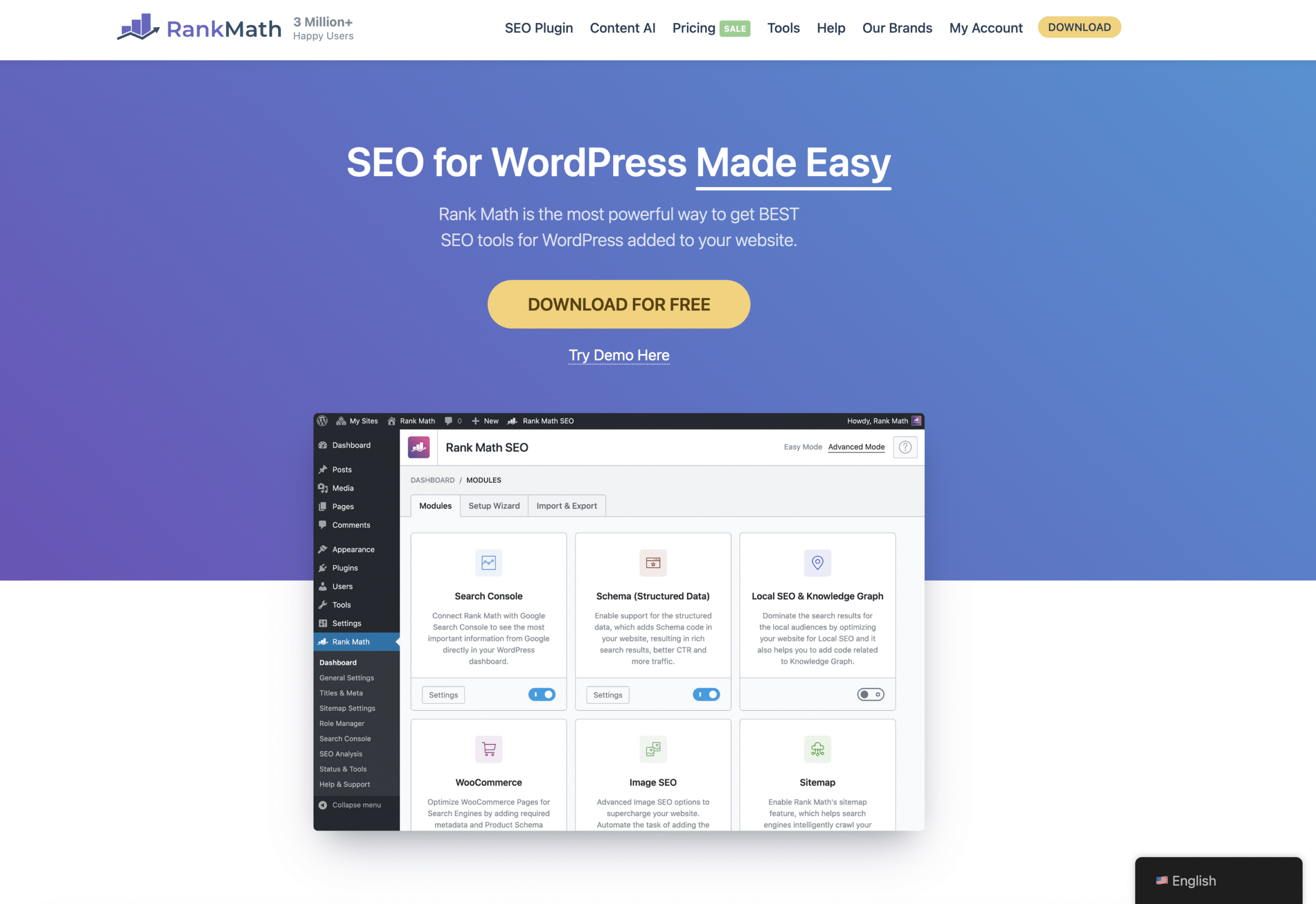
3. Rank Math: An SEO Alternative That is Smarter and More Advanced
And as I became bigger, I began to look elsewhere- and that was where Rank Math appeared so good.
Rank Math is not just another SEO. It has sophisticated capabilities such as keyboard monitoring, schema markup and more graphical analytics integration.
The greatest benefit of it, at least to the beginners, lies in the fact that it is a series of functions rolled into a single plugin. Rank Math offers you more of an integrated experience by installing individual tools to carry out SEO, analytics, and schema.
When Yoast assists in getting started, Rank Math assists in scaling.

4. WP Rocket – The Plugin that makes your website fast
Speed is not only a technical aspect, as it has a direct effect on both user experience and SEO.
One of the simplest methods to make your site faster is through WP Rocket which requires no technical expertise. After its installation, it automatically deals with caching, optimization of files and performance.
The most favorite thing about it is that it is working out of the box. You do not have to adjust dozens of options. In 2026, when Core Web Vitals are more crucial than ever, the position of fast websites is non-negotiable.

5. Wordfence – Security Your Site The First Line of Defense
Something that beginners do not pay much attention to is the issue of security – until something goes wrong.
Wordfence secures your webpage against malware, hacking, and brute force attacks. It has such features as firewall protection, malware scanning and login security.
Even a small site can not be considered safe by default because security threats are on the rise in the recent years. The presence of a security plug is no longer an option but a necessity.

6. WPForms – Turning your site into an interactive one
A web site that does not contain forms is a store that does not have a way of contacting you.
With a straightforward drag-and-drop construction, form it is possible to make contact forms, lead capture forms, surveys, and payment forms with the help of WPForms.
The thing that I have observed is that the beginners take too long before adding forms yet this is among the simplest methods of beginning to create leads. A little form of contact is all it takes to make your website not a dead one.

7. WooCommerce – Transforming your site into an online store
WooCommerce is the choice of API to use in case you want to sell something online.
It gives you the ability to control products, payments, inventory and orders, all in WordPress. And most importantly is the fact that it is very customizable and scalable.
The strength of WooCommerce is that it is scalable. You can start something small and build up to being a professional e-commerce company.

8. Akismet Home Page – Website Cleaning and Cleaning Professional
Spam comments might sound as a minor problem, but they will soon start growing out of control.
Akismet automatically gives out spam comments and submissions so that your site remains clean and professional.
It is one of those plug-ins that you install and leave alone, though you save a tremendous amount of time and work unknowingly to beginners.

9. Google — Site Kit: Learn How to Understand Your Website Data, No Complexity
Lack of monitoring of performance is one of the greatest errors made by beginners.
Site Kit by Google links your WordPress site to features such as Google Analytics and Google Search console so that you can see insights right in your dashboard.
You do not have to alternate between platforms and instead, you can view your traffic, user behavior and search performance in a single place.
And as soon as you begin to know your data, you are making wiser choices.

10. UpdraftPlus – Your Safety net when everything goes bad
A backup plugin is one of the plugins that I would never miss.
UpdraftPlus gives you the ability to create a backup of your site and recover it when required. It could be a conflict with a certain plug-in, or an accidental deletion, or even a security problem, but then you do not have to begin anew because of backups.
Backup systems are very important even to those large websites. This is in place as a beginner, and it puts the mind at ease.
If you want to learn WordPress, then check out the complete tutorials here.
What I’ve Learned About Plugins
Here’s something I wish someone told me earlier—plugins are tools, not solutions by themselves.
Installing these plugins won’t magically make your website successful. But using them correctly will give you a strong foundation.
Also, more plugins don’t mean better performance. In fact, too many plugins can slow down your website and create conflicts.
What works best is a balanced setup:
- A builder for design
- An SEO plugin for visibility
- A speed plugin for performance
- A security plugin for protection
- A few functional plugins for forms, backups, and analytics
That’s it. Simple, focused, and effective.
Final Thoughts
If you’re starting with WordPress in 2026, don’t overcomplicate things.
Focus on building a clean, fast, and functional website. The plugins I’ve shared here are not just popular—they are practical, beginner-friendly, and proven to work.
Start small, understand what each plugin does, and gradually improve your setup.
Because at the end of the day, your website is not just about design or tools—it’s about what you build on top of it.
And once your foundation is strong, everything else becomes easier.